Everdeck
A study app that turns notes, slides and PDFs into flashcards and practice exams. Each card comes back right before you'd forget it.
Context
Spaced-repetition flashcards are one of the most effective ways to study, and med students and language learners live in them. But making good cards takes hours, and Anki, the tool most serious learners use, is powerful but hard to love. I started Everdeck to find out what studying could feel like if the deck wrote itself and the app was something you wanted to open every day.
Problem and opportunity
AI flashcard tools already existed, but their questions were shallow and didn't sound like the exams people were preparing for. Switching from Anki also meant giving up years of review history. The opportunity was a tool that writes cards worth studying, in the style of your exam, and lets you bring everything you already have.
Solution
You upload notes, slides or a PDF, and Everdeck writes flashcards, cloze cards and practice questions. Each card is scheduled with the FSRS-5 memory model, so it comes back right before you'd forget it.
I wanted the first win to come before any commitment. You can try it with no account, and the first cards are ready to answer in moments while the rest of the deck is written in the background. Anki decks import whole, schedule and all, and the keyboard shortcuts match, so nothing you've built is lost.
Today and exams
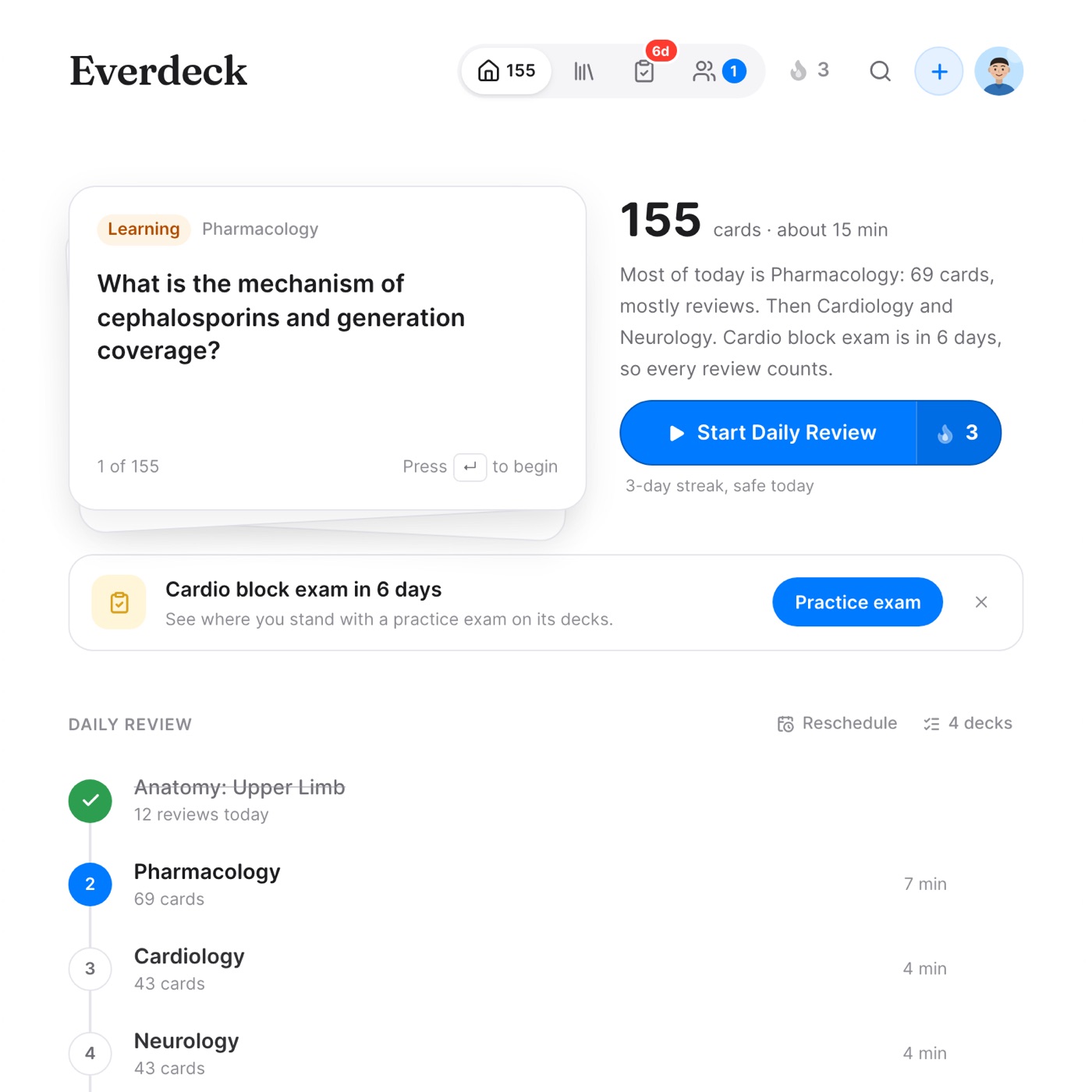
Home opens on the next card, how many are due and about how long they'll take, then the Daily Review: each deck in turn, ticked off as it's done.
Adding an exam date moves its decks to the front of your daily review and checks whether every new card will be seen in time.
Details
A daily habit lives or dies on small moments, so I spent much of my time on interaction details. [2 to 3 details in Cade's words: card flip timing, the streak flame, pressing E to edit mid-review, Find labels masking a diagram.]
The landing page follows the same idea. Instead of screenshots, its demos run on the real scheduler, so visitors try the product before deciding to.
Building it
I designed Everdeck and built it with AI tools. [Two sentences on the workflow.] Working in the real medium let me tune motion and timing in context instead of in a static mockup.
Where it stands
Everdeck is in public beta. [Best number or a short user quote.] Try it: www.geteverdeck.com